
Table of Contents
DAS Trader and TradesViz are integrated to help you keep records, analyze your trading activity, share notes, and learn and improve every day to achieve trading success. To send your trading data from DAS Trader to TradesViz, you must enable integration through both DAS Trader and TradesViz platforms.
Before You Begin
- The email address you use for the Market Data Agreements needs to be the same as the one you use for TradesViz.
- For the smoothest process, the DAS part of the integration should be completed between 5am and 11pm EST.
Enabling TradesViz Integration through DAS Trader
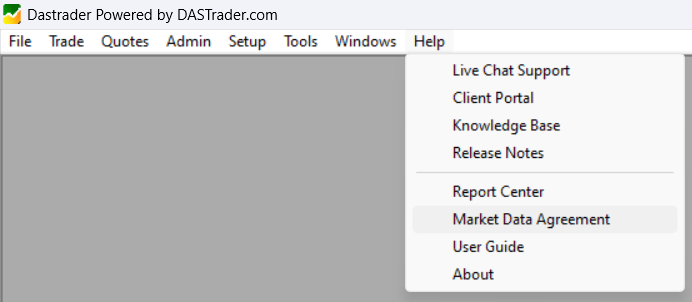
- In DASTrader Pro, navigate to the Market Data Agreement portal by clicking Help and then Market Data Agreement:
- In the portal, click on the Optional tab and then look for “THIRD PARTY DROP COPY CONSENT RIDER (Optional)” and click sign.

- On this page, read the agreement carefully. If you want to include your historical trade data, select Yes in the screenshot below and fill out the date range:

- Complete your signature and click “I agree” at the bottom.
- You will receive a confirmation email.
Please be aware of the following details:
- Current day data (regular daily data) is normally sent the day after the request is completed in the Agreement Portal at 4AM EST.
- If you are integrating historical data, it is sent the next day at 4AM EST after completing the agreement. The current day data is processed the following day.
- Historical data is only available for the previous six months.
Enabling TradesViz Integration through TradesViz
- Follow TradesViz’s integration process here: https://www.tradesviz.com/blog/auto-import-das-trader/
- TradesViz’s setup time can vary from 1 to 2 days. Please contact them if you do not see your trade data after 2 days.


