
Second-based charts are available as ChartEX in DAS Trader Pro in version 5.8.2.1 and later.
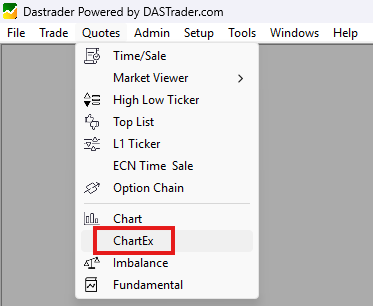
ChartEX is accessible by clicking Quote then ChartEX
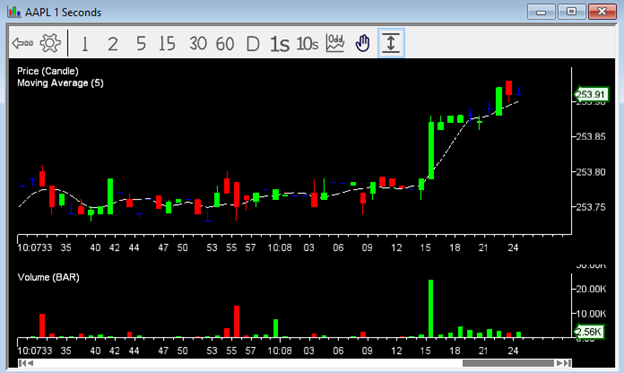
ChartEX works the same way as regular charts in DAS Trader Pro. To view second-based time increments, click on 1s or 10s on the toolbar:

Chart data for the second-based time increments begins when the chart is open; historical seconds data is not yet available.
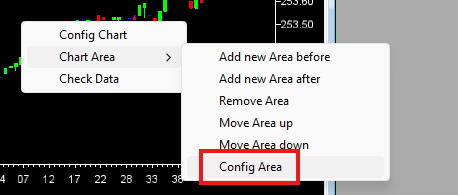
You can add new studies by right clicking on the chart, selecting Chart Area and then Config Area:
Trend lines and other chart tools will be available in future releases. Regular minute and day charts are still available with their full features.
Some users may not be able to access ChartEX. If you see the message “GPU driver not supported. Please update your driver to latest version” it means that your graphics card or driver does not support the new charts. ChartEX can only be used on PCs that meet these requirements:
- NVIDIA GeForce GTX 600 series (Kepler) or newer
- AMD Radeon HD 7700 series or newer
- Intel GPUs that support OpenGL 4.4 (e.g., Iris or UHD series)
- Up-to-date graphics drivers
We recommend trying to update your video driver first.


